
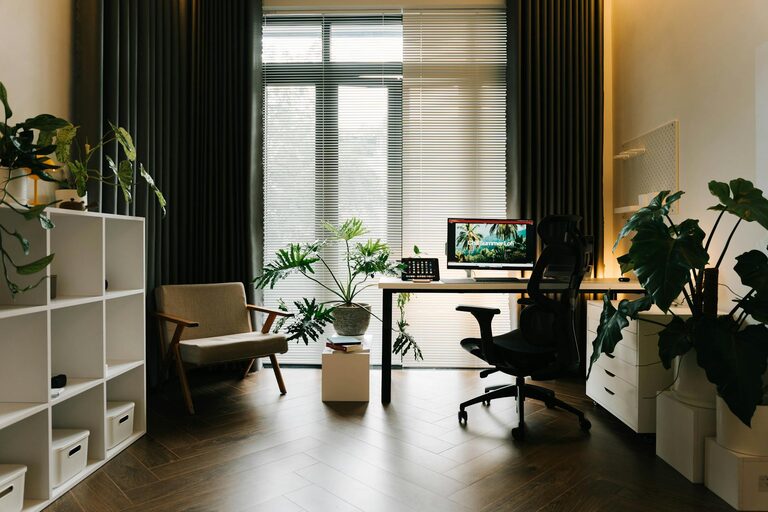
Creating a comfortable and productive home office space is essential for anyone working from home. Whether you’re a freelancer, remote employee, or running your own business, having a dedicated area that supports focus and efficiency can make a significant difference in your workday. In this post, we’ll explore practical tips to help you design a home office that encourages productivity while maintaining comfort.
Why a Good Home Office Matters
Working from home has become common, but it’s easy to get distracted or feel cramped without the right setup. A well-designed home office can boost your concentration, reduce physical strain, and create a clear separation between work and leisure. Let’s look at how to create that ideal environment.
Choosing the Right Location
Find a Quiet Spot
Start by selecting a space that is as quiet as possible. Avoid areas with frequent foot traffic or lots of household noise, such as near the kitchen or living room. If you don’t have a spare room, try using a corner of a less-used room.
Consider Natural Light
Natural light can improve mood and alertness. Position your desk close to a window to take advantage of daylight. However, avoid direct glare on your screen by setting up your desk perpendicular to windows rather than directly in front or behind them.
Ergonomic Furniture and Setup
Invest in a Good Chair
An adjustable chair with lumbar support is crucial. Sitting for long hours can strain your back, neck, and shoulders, so choose a chair that supports good posture.
Desk Height and Monitor Position
Your desk should suit your height. When seated, your elbows should be at 90 degrees when using the keyboard. Position your monitor so the top of the screen is at or slightly below eye level to prevent neck strain.
Use a Keyboard and Mouse Correctly
Keep your keyboard and mouse close enough so your arms stay relaxed. Wrist rests and ergonomic mouse designs can help reduce fatigue.
Organising Your Office Space
Declutter Regularly
A tidy workspace reduces distractions. Keep only essential items on your desk and organise paperwork in trays, folders, or filing cabinets.
Storage Solutions
Use shelves, drawers, or storage boxes to keep supplies and documents out of sight but within reach. Label storage to find items easily.
Cable Management
Messy cables can make your space look cluttered and cause frustration. Use clips, ties, or cable covers to keep wires organised.
Lighting Tips
Combine Ambient and Task Lighting
Good lighting reduces eye strain. Use a combination of overhead lighting and a desk lamp focused on your work area. Consider bulbs that mimic natural daylight for better clarity.
Avoid Screen Glare
Adjust your lighting setup to prevent reflections on your monitor. Position lights away from your screens and consider using an anti-glare screen protector if needed.
Adding Comfort and Personal Touches
Temperature and Ventilation
Ensure your workspace is well-ventilated and at a comfortable temperature. You might want a small fan, heater, or humidifier depending on your environment.
Personalise Wisely
Add plants, artwork, or photos to personalise your space. Greenery can improve mood and air quality, while personal touches can make your office feel inviting and reduce stress.
Break Area
If space allows, create a small area where you can stand, stretch, or take short breaks. Changing posture frequently helps maintain alertness.
Technology and Connectivity
Reliable Internet Connection
Ensure your home office has a strong internet connection, especially if you attend video calls or share large files.
Essential Equipment
Aside from a good computer, consider additional equipment such as a printer, headphones for calls, and a second monitor for multitasking.
Backup and Security
Keep backups of important files and use security measures such as passwords and antivirus software to protect your work.
Establishing a Routine
Set Work Hours
Even at home, having set work hours helps maintain a work-life balance. Let household members know your schedule to minimise interruptions.
Regular Breaks
Use techniques like the Pomodoro technique (working for 25 minutes followed by a 5-minute break) to stay fresh and avoid burnout.
Keep Work and Leisure Separate
At the end of the day, clear your workspace and switch off work devices if possible. This helps your mind switch to relaxation mode.
Conclusion
Designing a comfortable and productive home office is about balancing ergonomics, organisation, lighting, and your personal preferences. By creating a dedicated area that suits your work style, you can improve focus, reduce discomfort, and enjoy the benefits of working from home. Start with the tips above to build a space that supports both your health and productivity.